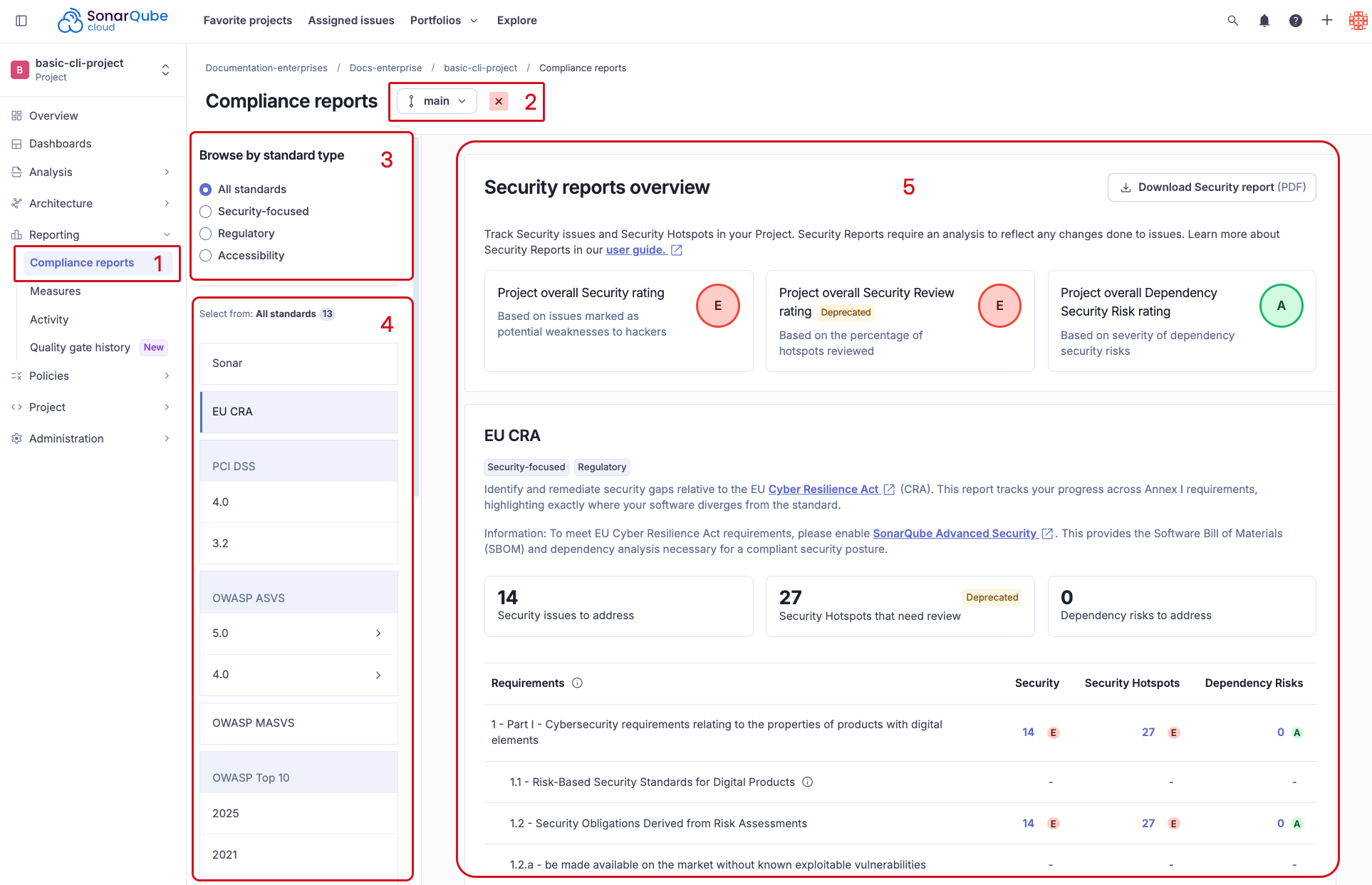
| Part I - Cybersecurity requirements relating to the properties of products with digital elements |  (partial) (partial) | |
| 1.1 Risk-Based Security Standards for Digital Products | | |
| 1.2 Security Obligations Derived from Risk Assessments | | |
| 1.2.a be made available on the market without known exploitable vulnerabilities | | |
| 1.2.b be made available on the market with a secure by default configuration, unless otherwise agreed between manufacturer and business user in relation to a tailor-made product with digital elements, including the possibility to reset the product to its original state |  | |
| 1.2.c ensure that vulnerabilities can be addressed through security updates, including, where applicable, through automatic security updates that are installed within an appropriate timeframe enabled as a default setting, with a clear and easy-to-use opt-out mechanism, through the notification of available updates to users, and the option to temporarily postpone them | | |
| 1.2.d ensure protection from unauthorised access by appropriate control mechanisms, including but not limited to authentication, identity or access management systems, and report on possible unauthorised access | | |
| 1.2.e protect the confidentiality of stored, transmitted or otherwise processed data, personal or other, such as by encrypting relevant data at rest or in transit by state of the art mechanisms, and by using other technical means | | |
| 1.2.f protect the integrity of stored, transmitted or otherwise processed data, personal or other, commands, programs and configuration against any manipulation or modification not authorised by the user, and report on corruptions | | |
| 1.2.g process only data, personal or other, that are adequate, relevant and limited to what is necessary in relation to the intended purpose of the product with digital elements (data minimisation) | | |
| 1.2.h protect the availability of essential and basic functions, also after an incident, including through resilience and mitigation measures against denial-of-service attacks | | |
| 1.2.i minimise the negative impact by the products themselves or connected devices on the availability of services provided by other devices or networks | | |
| 1.2.j be designed, developed and produced to limit attack surfaces, including external interfaces | | |
| 1.2.k be designed, developed and produced to reduce the impact of an incident using appropriate exploitation mitigation mechanisms and techniques | | |
| 1.2.l provide security related information by recording and monitoring relevant internal activity, including the access to or modification of data, services or functions, with an opt-out mechanism for the user | | |
| 1.2.m provide the possibility for users to securely and easily remove on a permanent basis all data and settings and, where such data can be transferred to other products or systems, ensure that this is done in a secure manner | | |
| Part II - Vulnerability handling requirements | | |
| 2.1 identify and document vulnerabilities and components contained in products with digital elements, including by drawing up a software bill of materials in a commonly used and machine-readable format covering at the very least the top-level dependencies of the products | | |
| 2.2 in relation to the risks posed to products with digital elements, address and remediate vulnerabilities without delay, including by providing security updates; where technically feasible, new security updates shall be provided separately from functionality updates | | |
| 2.3 apply effective and regular tests and reviews of the security of the product with digital elements | | |
| 2.4 once a security update has been made available, share and publicly disclose information about fixed vulnerabilities, including a description of the vulnerabilities, information allowing users to identify the product with digital elements affected, the impacts of the vulnerabilities, their severity and clear and accessible information helping users to remediate the vulnerabilities; in duly justified cases, where manufacturers consider the security risks of publication to outweigh the security benefits, they may delay making public information regarding a fixed vulnerability until after users have been given the possibility to apply the relevant patch | | |
| 2.5 put in place and enforce a policy on coordinated vulnerability disclosure | | |
| 2.6 take measures to facilitate the sharing of information about potential vulnerabilities in their product with digital elements as well as in third-party components contained in that product, including by providing a contact address for the reporting of the vulnerabilities discovered in the product with digital elements | | |
| 2.7 provide for mechanisms to securely distribute updates for products with digital elements to ensure that vulnerabilities are fixed or mitigated in a timely manner and, where applicable for security updates, in an automatic manner | | |
| 2.8 ensure that, where security updates are available to address identified security issues, they are disseminated without delay and, unless otherwise agreed between a manufacturer and a business user in relation to a tailor-made product with digital elements, free of charge, accompanied by advisory messages providing users with the relevant information, including on potential action to be taken | | |