> For the complete documentation index, see [llms.txt](https://docs.sonarsource.com/llms.txt). Markdown versions of documentation pages are available by appending `.md` to page URLs; this page is available as [Markdown](https://docs.sonarsource.com/sonarqube-for-eclipse/getting-started/installation.md).
# Installation
The steps you need to install SonarQube for Eclipse in your IDE.
SonarQube for IDE can be installed directly from your IDE’s Marketplace.
## Instructions
SonarQube for Eclipse is a plugin that can be installed in most Eclipse-based IDEs (including Spring Tool Suite, PyDev, and others). You can find the SonarQube for IDE extension directly on the [Eclipse Marketplace](https://marketplace.eclipse.org/content/sonarlint). All versions of SonarQube for Eclipse are available on the [Eclipse binaries](https://binaries.sonarsource.com/?prefix=SonarLint-for-Eclipse/releases/) page.
### Using the Eclipse Marketplace client
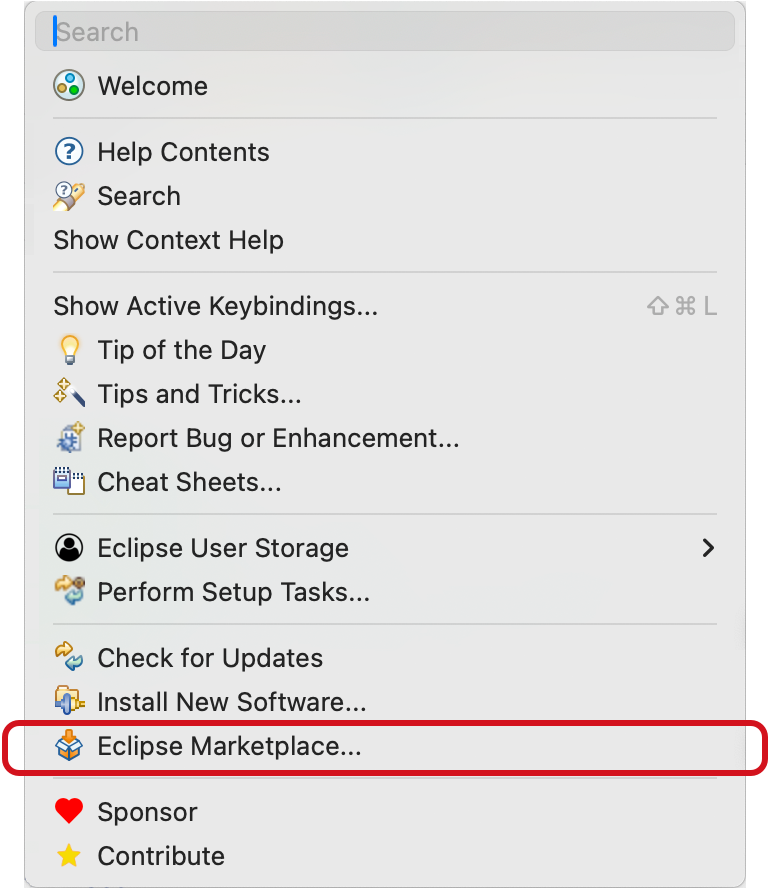
1\. In your Eclipse-based IDE, open the Marketplace client: **Help** > **Eclipse Marketplace**
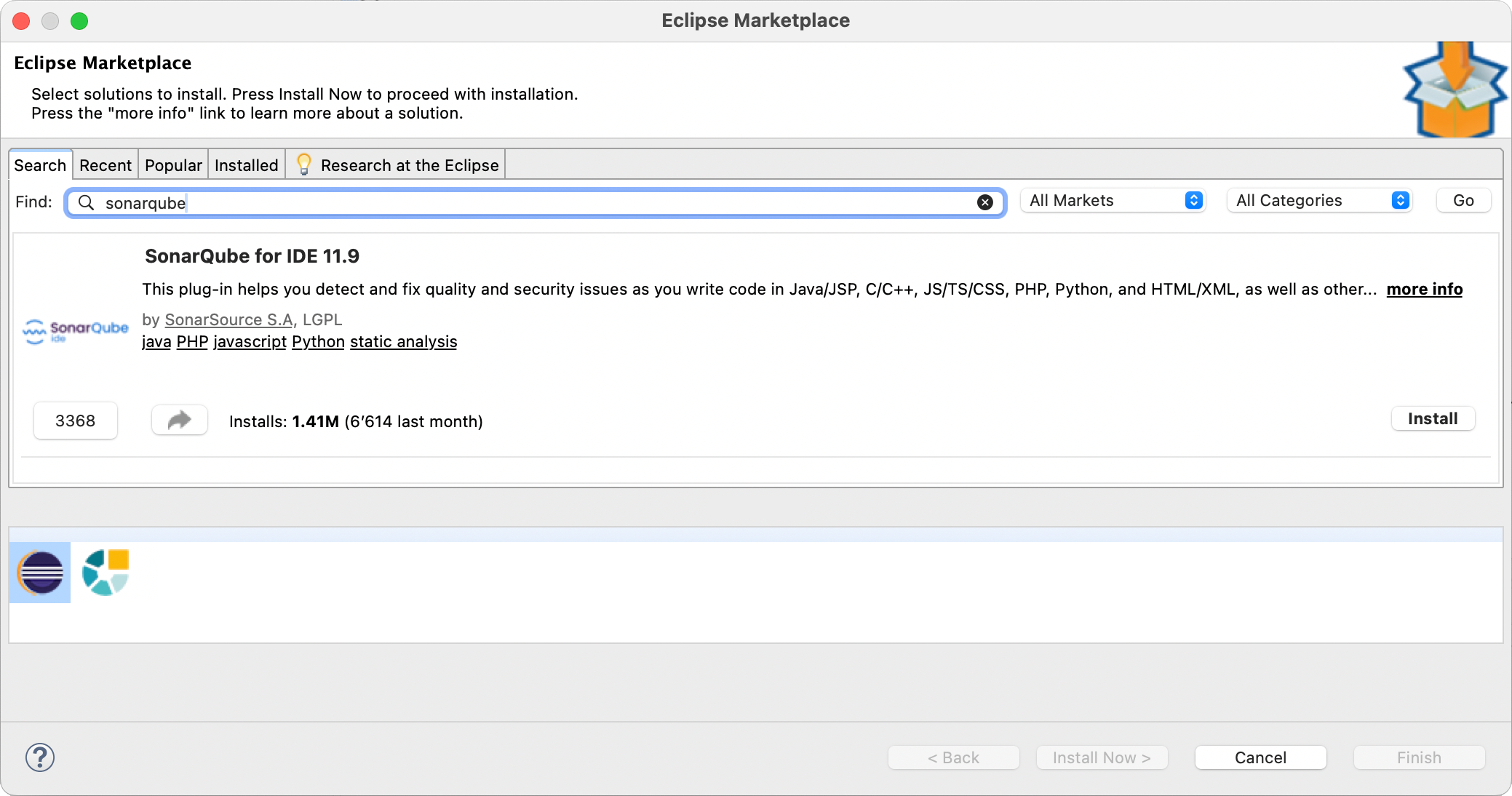
2\. Search for `sonarqube`, and select **Install**\*.\*
3\. Restart your IDE.
### Using the Eclipse Install New Software wizard
If you can’t use the Eclipse Marketplace client, you can still directly access the SonarQube for Eclipse update site. See the [official Eclipse documentation](https://help.eclipse.org/?topic=%2Forg.eclipse.platform.doc.user%2Ftasks%2Ftasks-124.htm) for full details, and follow these instructions:
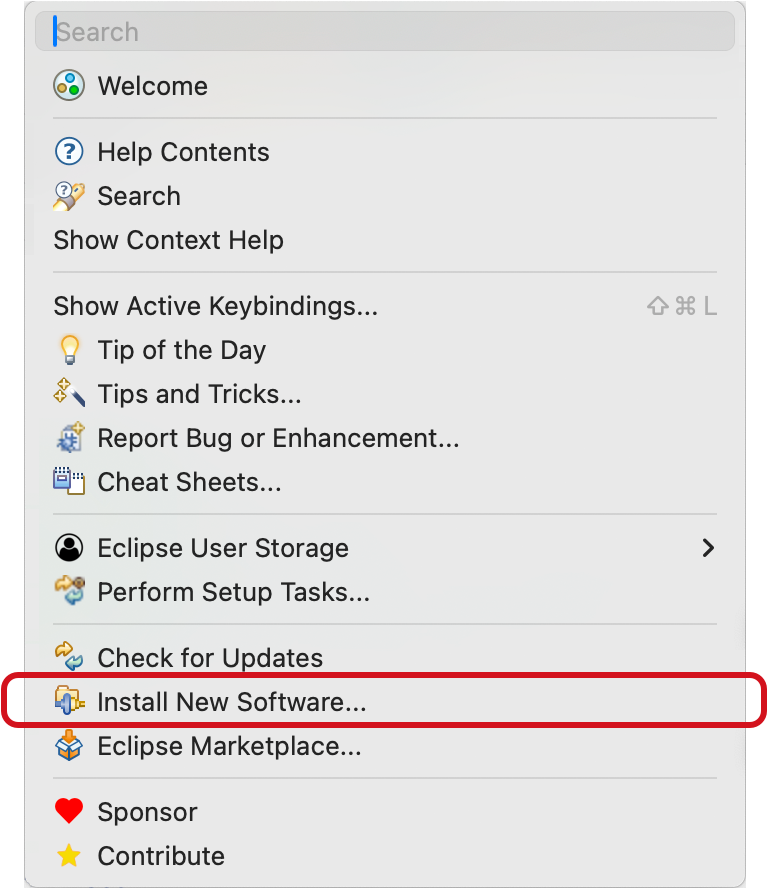
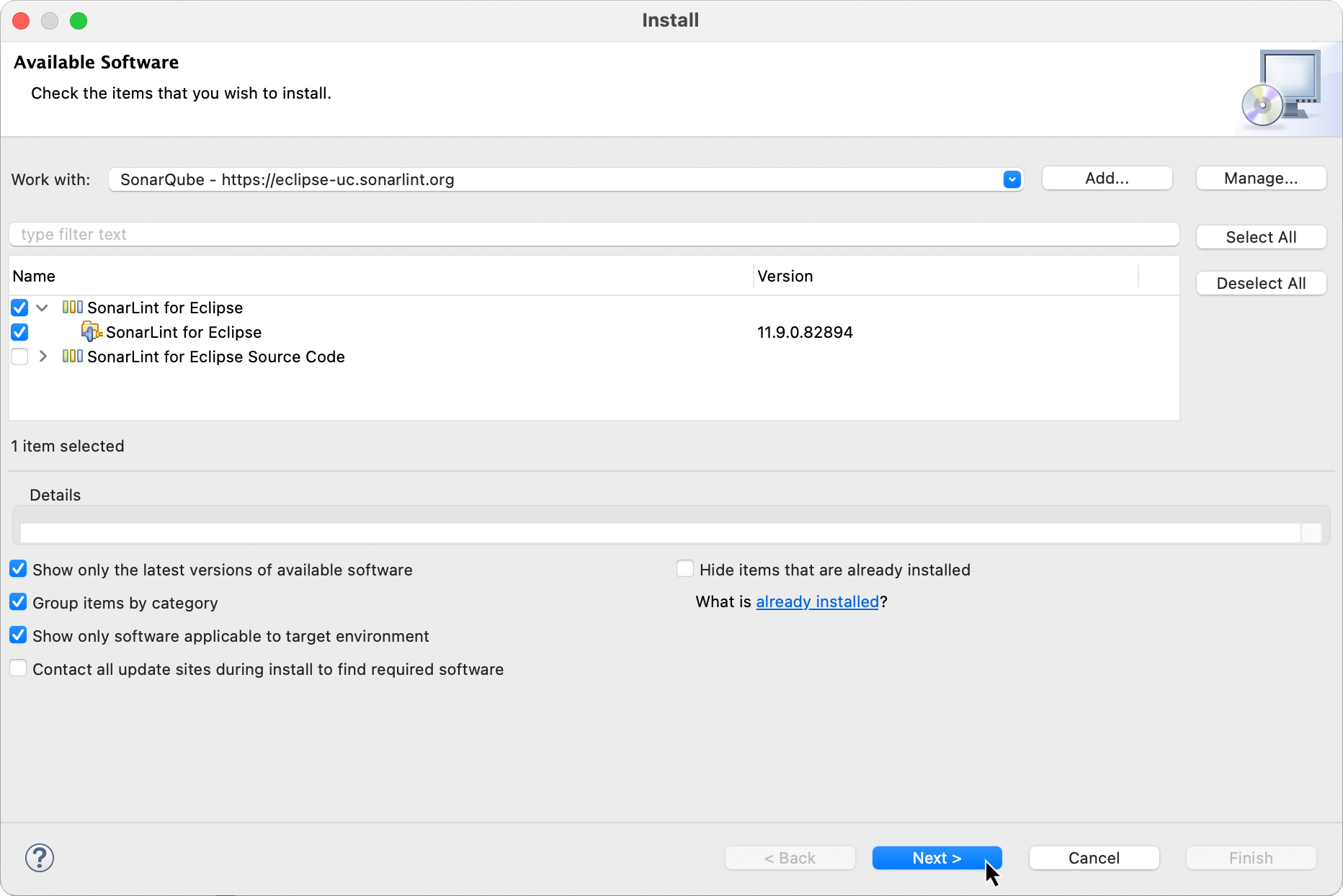
1\. Go to **Eclipse** > **Help** and select **Install New Software**.
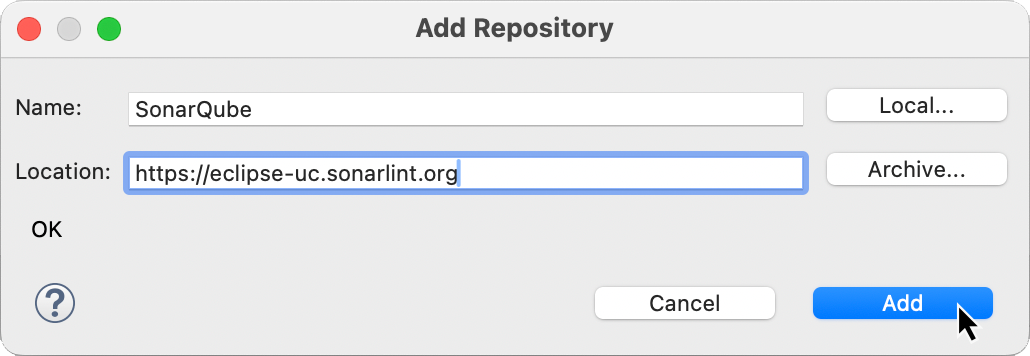
2\. Select the **Add…** button to add a new repository pointing to `https://eclipse-uc.sonarlint.org`. Give the repository a meaningful name. Don’t worry if you, can’t open this URL in your web browser, Eclipse will automatically look for files [compositeContent.xml](https://eclipse-uc.sonarlint.org/compositeContent.xml) and [compositeArtifacts.xml](https://eclipse-uc.sonarlint.org/compositeArtifacts.xml).
3\. Select both the newly added *SonarQube for Eclipse repository* and the **SonarLint for Eclipse** feature.
4\. Review the features about to be installed, and select **Finish**.
5\. When requested, restart your IDE.
{% hint style="info" %}
By using this method, you will be automatically notified of new updates of SonarQube for Eclipse (assuming you have allowed Eclipse to check for updates).
{% endhint %}
## First taste of SonarQube
Now that you have SonarQube for Eclipse installed, open or create a new project containing source files in a programming language that SonarQube for Eclipse can analyze out of the box: Java, PHP, Python, JavaScripts or HTML. See the [Rules and languages](/sonarqube-for-eclipse/using/rules.md) page for a full list of available languages.
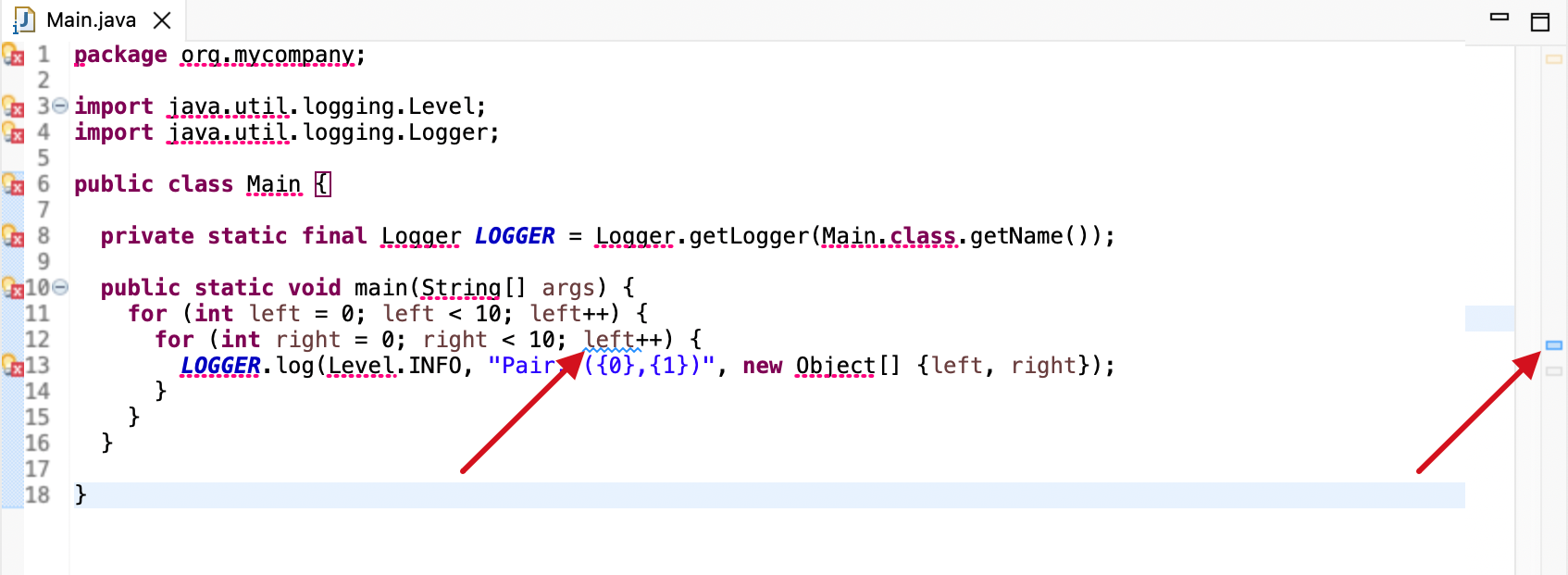
For example in Java, you can copy-paste this code snippet, with a typical bug when copy-pasting `for` loops:
```java
package org.mycompany;
import java.util.logging.Level;
import java.util.logging.Logger;
public class Main {
private static final Logger LOGGER = Logger.getLogger(Main.class.getName());
public static void main(String[] args) {
for (int left = 0; left < 10; left++) {
for (int right = 0; right < 10; left++) {
LOGGER.log(Level.INFO, "Pair: ({0},{1})", new Object[] {left, right});
}
}
}
}
```
If you open this Java file within the Eclipse Java editor, you should see SonarQube for Eclipse reporting the issue:
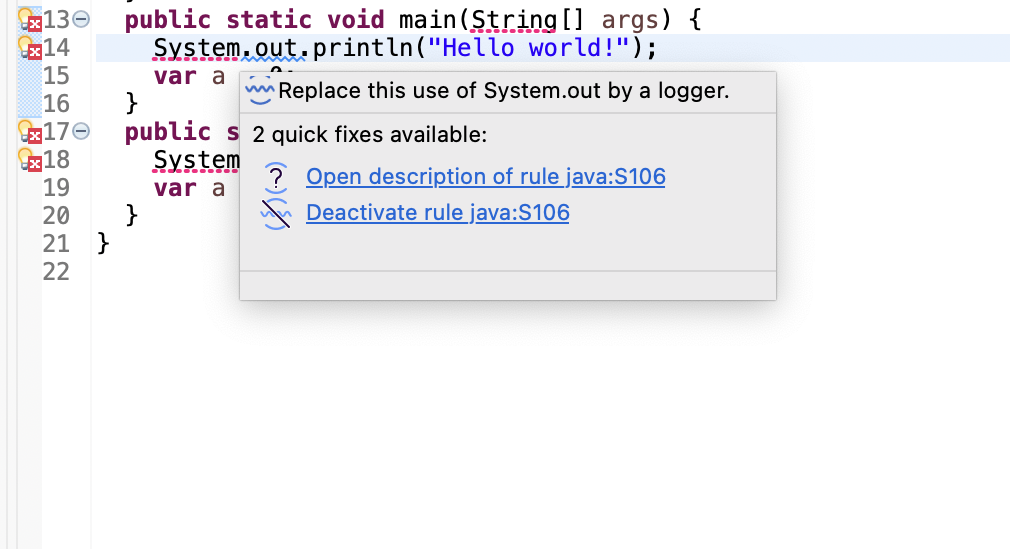
To get more details about the issue, you can simply hover on the issue location, and a popup will display the issue message:
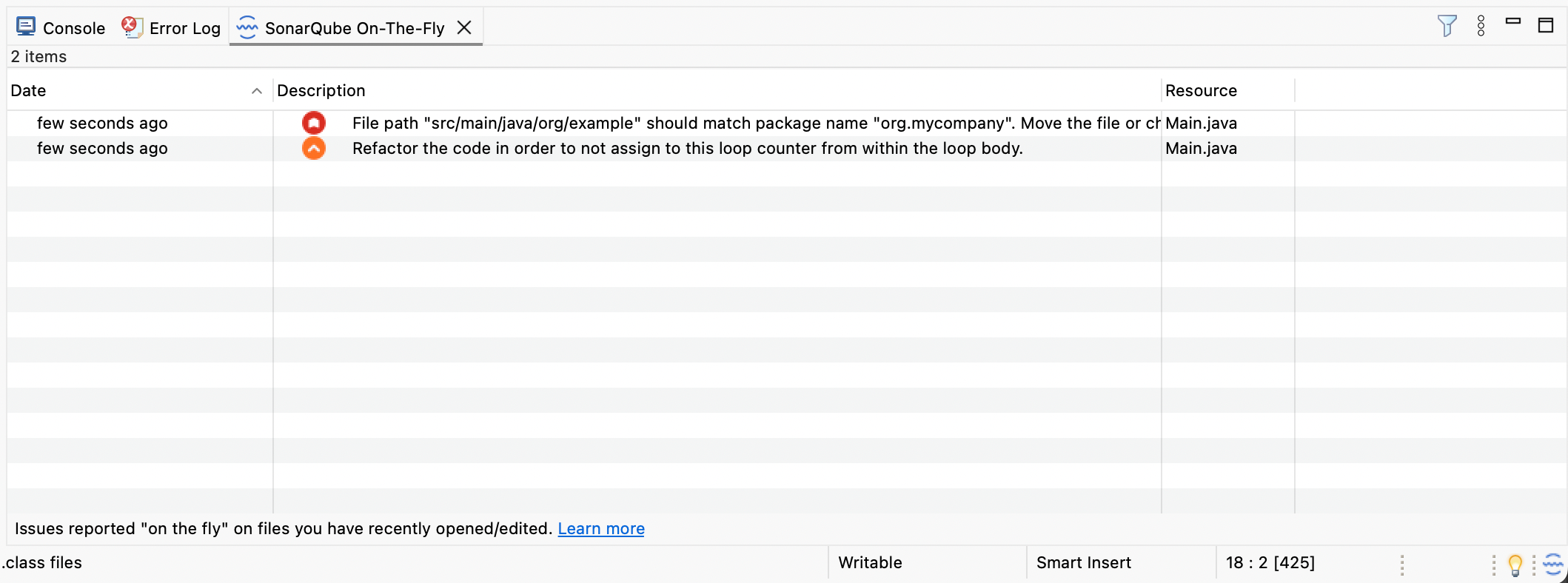
You can also use the SonarQube for Eclipse **On-The-Fly** view to display the list of issues found by SonarQube for Eclipse. Simply open the view from the menu **Windows** > **Show View** > **Other**.
## Preferences menu
Once your installation is complete, have a quick look at the SonarQube preferences menu. Navigate to **Window** > **Preferences** > **SonarQube** (or **Eclipse** > **Settings…** > **SonarQube** for Mac OS) for access to the **SonarQube Preferences** menu. Here you will find five menus to:
* Pass additional **Analyzer Properties** to the SonarQube for Eclipse analyzers. More information is available on the [Scan my project](/sonarqube-for-eclipse/using/scan-my-project.md) page.
* Add/remove **File Exclusions for** your analysis. See the [File exclusions](/sonarqube-for-eclipse/using/file-exclusions.md) for details.
* Agree/disagree to share anonymous telemetry statistics in the **Miscellaneous** menu.
* Access a list of **Release Notes**.
* And specifically define your **Rules Configuration** (when running in stand-alone mode). See [Rules and languages](/sonarqube-for-eclipse/using/rules.md#using-sonar-rules) for more information about how then work in SonarQube for Eclipse.
## Connect to your server
Connect SonarQube for VS Code to your instance of [SonarQube Server](/sonarqube-server/2026.1/user-guide/connected-mode.md), [SonarQube Cloud](/sonarqube-cloud/analyzing-source-code/connected-mode.md), or [SonarQube Community Build](/sonarqube-community-build/user-guide/connected-mode.md) to expand your analysis capabilities and share quality profiles with your team. See the article about connected mode [Connected mode](/sonarqube-for-eclipse/connect-your-ide/connected-mode.md#benefits), and the [Connected mode setup](/sonarqube-for-eclipse/connect-your-ide/setup.md) page for full instructions to get going.
---
# Agent Instructions
This documentation is published with GitBook. GitBook is the documentation platform designed so that both humans and AI agents can read, navigate, and reason over technical content effectively. Learn more at gitbook.com.
## Querying This Documentation
If you need additional information that is not directly available in this page, you can query the documentation dynamically by asking a question.
Perform an HTTP GET request on the current page URL with the `ask` query parameter, and the optional `goal` query parameter:
```
GET https://docs.sonarsource.com/sonarqube-for-eclipse/getting-started/installation.md?ask=&goal=
```
`ask` is the immediate question: it should be specific, self-contained, and written in natural language.
`goal` is optional and describes the broader end goal you are ultimately trying to accomplish on behalf of the user. GitBook uses it to tailor the answer towards what is most useful for that goal.
The response will contain a direct answer to the question and relevant excerpts and sources from the documentation.
Use this mechanism when the answer is not explicitly present in the current page, you need clarification or additional context, or you want to retrieve related documentation sections.