# Offline installation

Typically, offline installations start with a download of SonarQube for IDE from your IDE’s Marketplace.

The Eclipse marketplace does not host SonarQube for Eclipse and all versions are available on the [Eclipse binaries](https://binaries.sonarsource.com/?prefix=SonarLint-for-Eclipse/releases/) page.

## Instructions <a href="#instructions" id="instructions"></a>

### Using the Eclipse Install New Software wizard <a href="#using-the-eclipseinstall-new-softwarewizard" id="using-the-eclipseinstall-new-softwarewizard"></a>

If you can’t perform an online installation, you can use a SonarQube for Eclipse repository archive.

1\. Manually download the latest archive (.zip) of the SonarQube for Eclipse repository from <https://binaries.sonarsource.com/?prefix=SonarLint-for-Eclipse/releases/>

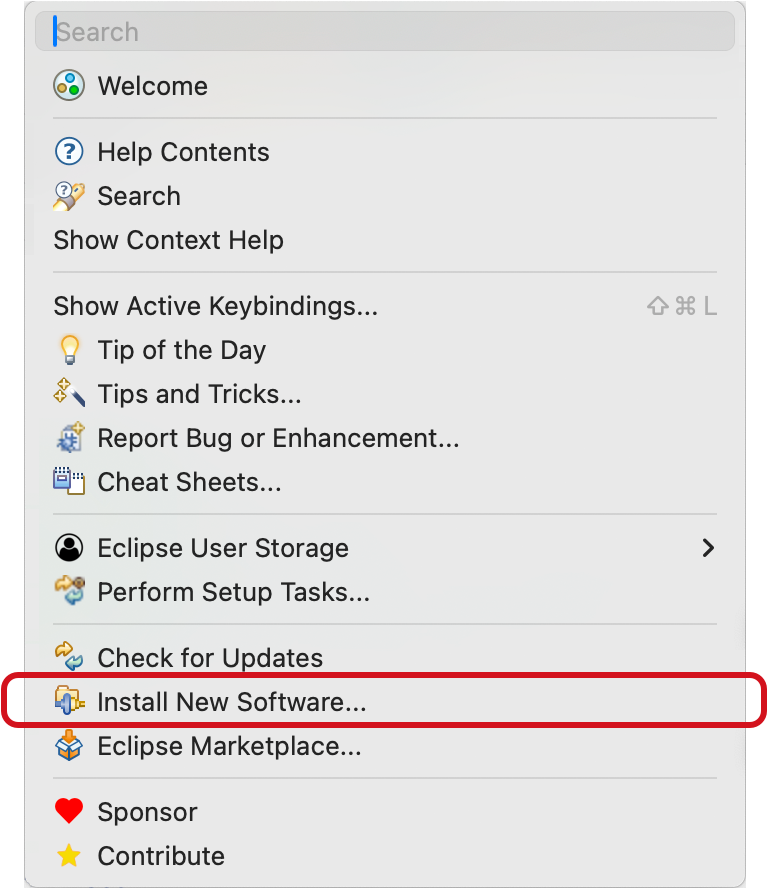
2\. Open **Install New Software…**

<div align="left"><figure><img src="https://231328848-files.gitbook.io/~/files/v0/b/gitbook-x-prod.appspot.com/o/spaces%2FkadXEH8HkykK7lKaDvVq%2Fuploads%2Fgit-blob-3fc1908eebb169f70f4ca7d38b01dbfbe40c5f91%2Ff4c11c6d9ffa80f7568d0c46d1c74593f2eb250f.png?alt=media" alt="Go to Help > Install New Software... in the Eclipse file menu to start your SonarQube for Eclipse installation." width="188"><figcaption></figcaption></figure></div>

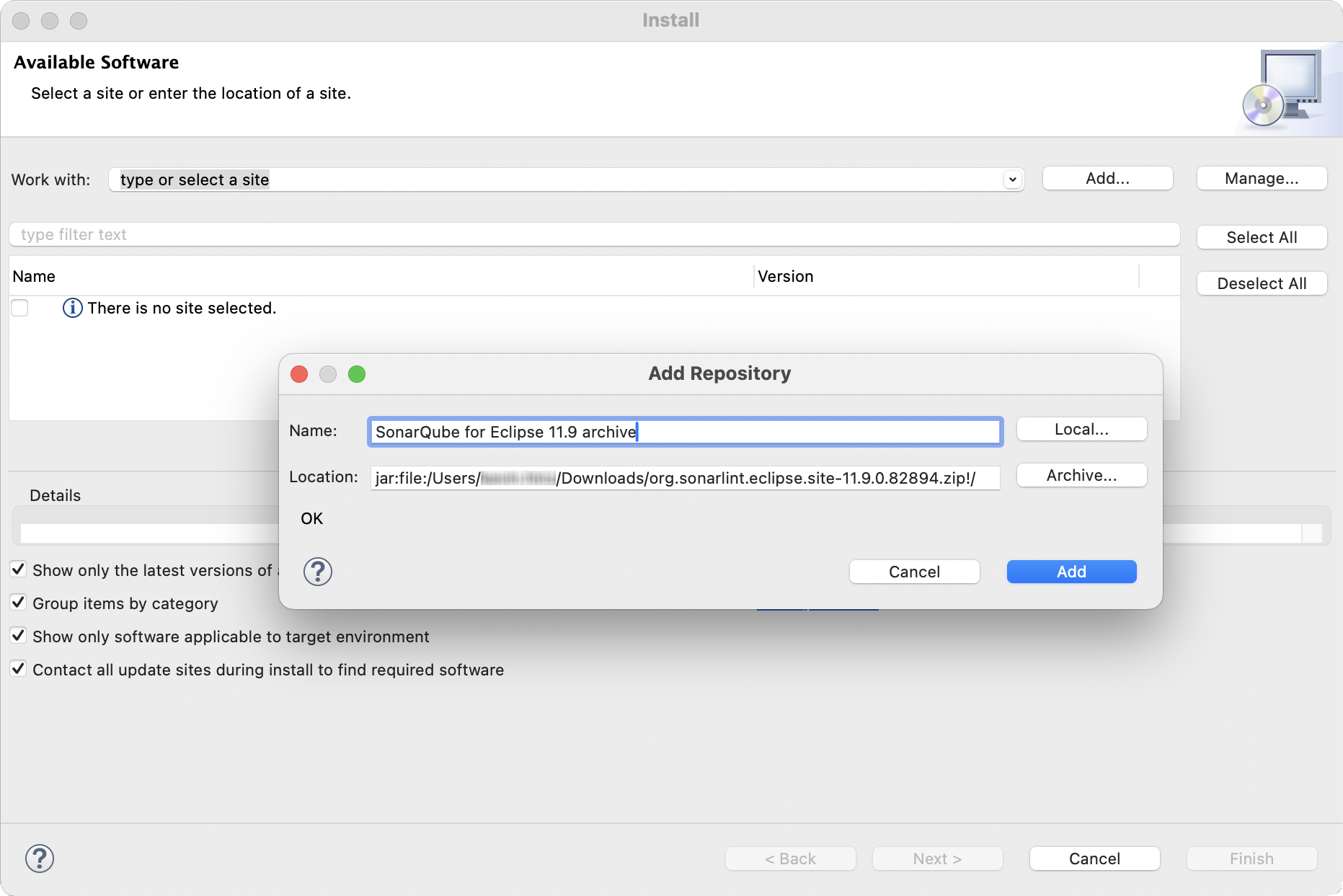
3\. Select **Add…** to add a new repository. Then select **Archive…** and navigate to the zip file you have downloaded. Give the repository a meaningful name.

<div align="left"><figure><img src="https://231328848-files.gitbook.io/~/files/v0/b/gitbook-x-prod.appspot.com/o/spaces%2FkadXEH8HkykK7lKaDvVq%2Fuploads%2Fgit-blob-37fcf6c1dab424e0d13eedb1341656e3ba4c68d8%2F70c614339fa2e7fb7ce6c8ef2937a4a81a660849.png?alt=media" alt="Select Add... to bring up an installation wizard to start the offline installation of SonarQube for Eclipse." width="563"><figcaption></figcaption></figure></div>

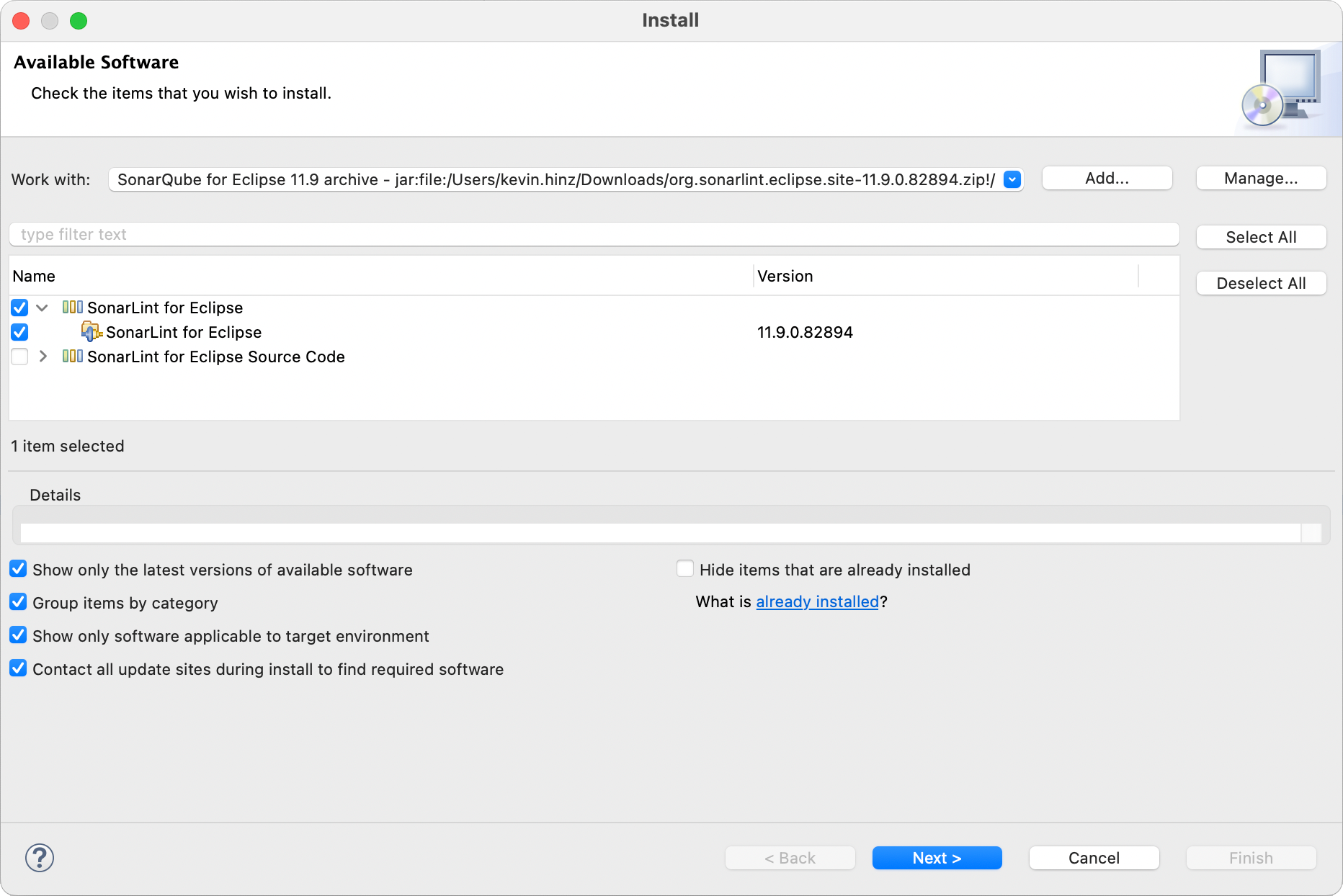
4\. With the recently added repository highlighted, select the **SonarLint for Eclipse** feature.

<div align="left"><figure><img src="https://231328848-files.gitbook.io/~/files/v0/b/gitbook-x-prod.appspot.com/o/spaces%2FkadXEH8HkykK7lKaDvVq%2Fuploads%2Fgit-blob-5708d54923887c2263e013cc3d6fd2fa4a938874%2Fd5027aa46eee6b7ed20ba69d330adf3345b91d13.png?alt=media" alt="Select the SonarLint for Eclipse feature to install from your archive zip folder." width="563"><figcaption></figcaption></figure></div>

5\. Review the features about to be installed, and select **Finish** to complete the installation.

6\. When requested, restart your IDE.

{% hint style="warning" %}
When using this method, you will *not* be notified when new versions of SonarQube for Eclipse are available to install.
{% endhint %}