> For the complete documentation index, see [llms.txt](https://docs.sonarsource.com/llms.txt). Markdown versions of documentation pages are available by appending `.md` to page URLs; this page is available as [Markdown](https://docs.sonarsource.com/sonarqube-server/instance-administration/ui-customization/product-news.md).
# Product news
SonarQube Server 2026.5 shows product news in the global navigation. As an instance administrator, you can turn it off for every user.
The news widget in the global navigation shows news items about new features and product updates, with a count of the unread ones. Items are targeted at specific audiences, and the widget also lists the full history.
A third-party service hosts the content, and each signed-in user's browser fetches it directly from `api.getbeamer.com`. SonarQube Server makes no outbound call for news, which means a server egress rule does not cover this traffic. To keep product news working on a restricted network, allow that host from user workstations.
## Data transmitted for product news
When product news is enabled, each request sent directly from the user's browser to `api.getbeamer.com` includes the following metadata:
* User context: A unique user identifier and role (administrator or standard user).
* System metadata: Product name, edition, version, and enabled feature flags.
* License usage (administrators): high-level license metrics, such as lines-of-code allocation.
This data is sent only while product news is turned on, and only as long as the feature is enabled instance-wide. Administrators who do not want this data transmitted can [disable product news](#turning-off-product-news) entirely.
## Turning off product news
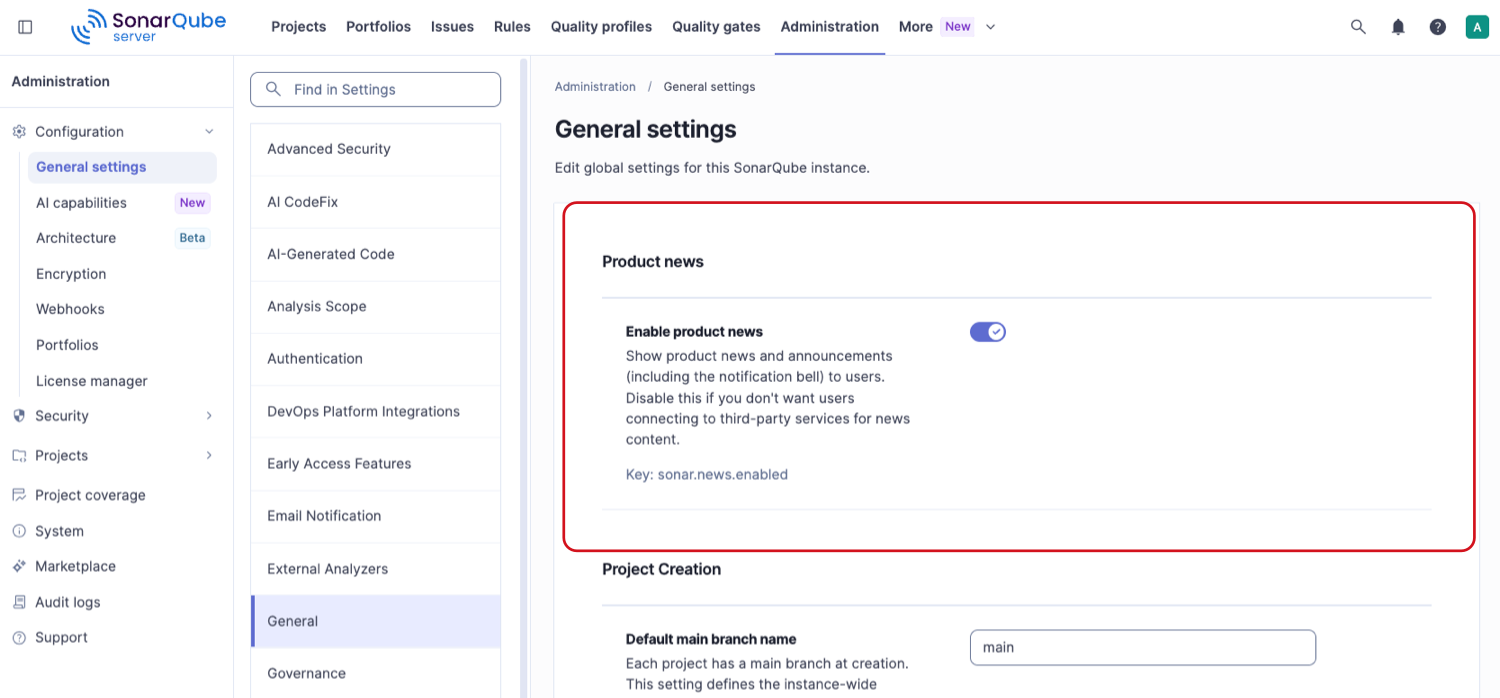
Product news is on by default. To turn it off for every user on the instance, go to **Administration** > **Configuration** > **General settings** > **General** > **Product news**, and switch off **Enable product news**. The setting key is `sonar.news.enabled`.
With the setting off, nothing news-related is rendered: the widget and its unread count are gone from the global navigation, and no browser connects to the news service. Switch the setting back on to restore the widget for everyone.
---
# Agent Instructions
This documentation is published with GitBook. GitBook is the documentation platform designed so that both humans and AI agents can read, navigate, and reason over technical content effectively. Learn more at gitbook.com.
## Querying This Documentation
If you need additional information that is not directly available in this page, you can query the documentation by asking a question.
Perform an HTTP GET request on the following URL with the `ask` and `goal` query parameters:
```
GET https://docs.sonarsource.com/sonarqube-server/instance-administration/ui-customization/product-news.md?ask=&goal=
```
`ask` is the immediate question: it should be specific, self-contained, and written in natural language.
`goal` is what the user is ultimately trying to achieve, the reason they need the answer. Sharing it helps GitBook give you a better, more relevant answer. A goal is most helpful when it describes the outcome the user wants rather than restating the question. For example, with `ask=how do I create an API token`, a goal like `automate deployments from our CI pipeline` lets GitBook tailor the answer to that use case.
The response will contain a direct answer to the question and relevant excerpts and sources from the documentation.
Use this mechanism when the answer is not explicitly present in the current page, you need clarification or additional context, or you want to retrieve related documentation sections.